Blog

  • How to Use a Firewall to Protect Your Computer

    How to Use a Firewall to Protect Your Computer

    In today’s interconnected world, where cybersecurity threats are on the rise, protecting your computer from potential dangers is of utmost importance. One of the most effective tools for safeguarding your computer is a firewall. In this article, we will explore what a firewall is, its significance, the different types available, and a step-by-step guide on using a firewall to enhance your computer’s security.

    What is a Firewall?

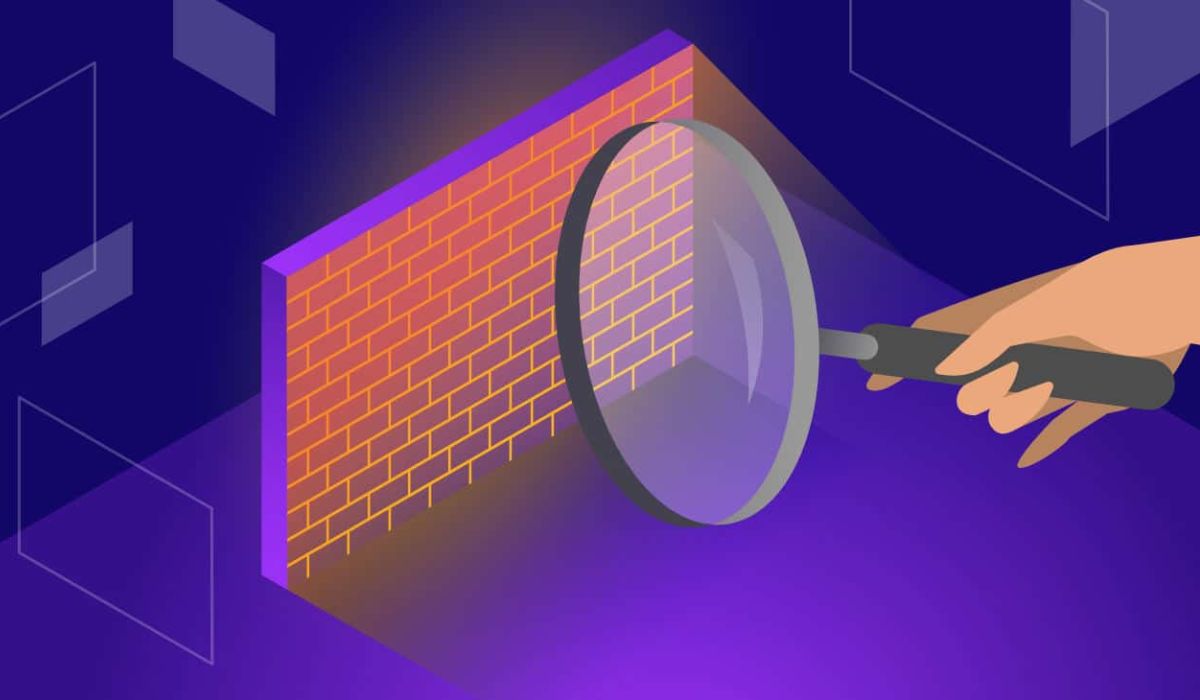
    A firewall is a security barrier designed to monitor and control incoming and outgoing network traffic between your computer and the internet or other networks. It acts as a filter, allowing safe data to pass through while blocking potentially harmful data, such as malware and unauthorized access attempts.

    Why is a Firewall Important?

    A firewall is crucial for several reasons:

    1. Protection from Cyber Threats: Firewalls act as the first line of defense against cyber threats, preventing malicious entities from gaining access to your computer.
    2. Network Security: By controlling network traffic, firewalls help maintain the security and integrity of your network.
    3. Personal Data Safety: A firewall shields your personal and sensitive data from being compromised by hackers and cybercriminals.

    Types of Firewalls

    There are several types of firewalls, each catering to specific needs. The main types include:

    1. Hardware Firewalls: These are standalone devices placed between your computer and the internet, offering robust protection for an entire network.
    2. Software Firewalls: Installed directly on your computer’s operating system, software firewalls provide individual device protection.
    3. Next-Generation Firewalls: These advanced firewalls combine traditional firewall capabilities with intrusion prevention, application control, and more.

    Setting Up a Firewall

    To use a firewall effectively, you need to set it up correctly. Follow these general steps:

    1. Check for Built-in Firewall: Most modern operating systems come with a built-in firewall. Ensure it is activated.
    2. Install Third-Party Firewall Software: If your system lacks a firewall or you prefer additional features, install reputable third-party firewall software.
    3. Update Firewall Settings: Configure the firewall settings to align with your security preferences and network requirements.

    Configuring Firewall Settings

    Proper configuration is vital to strike a balance between security and usability. Consider the following factors:

    1. Allow and Block Rules: Define rules to allow specific trusted applications and block potential threats.
    2. Inbound and Outbound Traffic: Decide which types of inbound and outbound traffic should be permitted.
    3. Customize Security Levels: Adjust security levels based on your comfort and risk tolerance.

    Best Practices for Firewall Usage

    Maximize the effectiveness of your firewall by adhering to these best practices:

    1. Keep Firewall Updated: Regularly update your firewall to ensure it can identify and counter new threats.
    2. Use Strong Passwords: Set strong passwords for firewall access to prevent unauthorized changes.
    3. Use Multiple Layers of Defense: Combine firewalls with other security tools like antivirus software for comprehensive protection.

    Testing Your Firewall

    After setting up and configuring your firewall, test its effectiveness using various online tools and services designed to simulate cyber attacks. This testing will help you identify any weaknesses in your configuration.

    In conclusion, A firewall is a fundamental component of a robust cybersecurity strategy, safeguarding your computer and data from online threats. By understanding its importance, types, and proper usage, you can significantly enhance your computer’s security and browse the internet with peace of mind.

    FAQs (Frequently Asked Questions)

    1. Do I need both a hardware and software firewall? While having both provides an extra layer of protection, a software firewall is usually sufficient for individual users. Hardware firewalls are more suited for networks.
    2. Can a firewall block legitimate traffic? It’s possible, but proper configuration and regular updates minimize the chances of blocking legitimate traffic.
    3. Are free firewalls reliable? Some free firewalls are reliable, but for more comprehensive features and support, consider investing in a reputable paid firewall.
    4. Can a firewall protect against all cyber threats? While firewalls are effective against many threats, it’s crucial to employ a multi-layered approach, including antivirus and other security measures.
    5. Should I keep my firewall “on” all the time? Yes, leaving your firewall “on” at all times ensures continuous protection against potential threats.
  • The Best Android Antivirus Apps for 2023

    The Best Android Antivirus Apps for 2023

    In today’s digital era, smartphones have become an integral part of our lives, and Android devices, in particular, dominate the mobile market. With the increasing reliance on our smartphones for various tasks, securing them from potential threats becomes crucial. Android antivirus apps play a vital role in safeguarding our devices from malware, viruses, and other security risks. This article will explore the best Android antivirus apps available in [current year], ensuring your Android device stays protected.

    Importance of Antivirus Apps for Android

    Android devices are susceptible to various online threats due to their open-source nature and widespread usage. Hackers and cybercriminals continuously exploit vulnerabilities in Android systems to gain unauthorized access to sensitive data, compromise privacy, and even perform financial fraud. Antivirus apps are designed to detect and neutralize such threats, providing a protective shield for your device and personal information.

    Criteria for Selecting the Best Android Antivirus App

    Before diving into the top Android antivirus apps, it’s essential to understand the criteria for selecting the best one for your device. Here are some factors to consider:

    1. Virus Detection Rates: An effective antivirus app should have high virus detection rates to identify and eliminate potential threats effectively.
    2. Features: Look for features like real-time scanning, malware removal, anti-phishing, app lock, and anti-theft protection.
    3. User-Friendly Interface: A user-friendly interface ensures that even non-tech-savvy users can navigate and utilize the app easily.
    4. Resource Usage: The best antivirus app should not heavily impact your device’s performance or drain its battery.
    5. Customer Reviews: Pay attention to user reviews and ratings to gauge the app’s reliability and user satisfaction.

    Top Android Antivirus Apps of 2023

    Now that we understand the importance of Android antivirus apps let’s explore the top-rated options available in 2023:

    1. Bitdefender Mobile Security

    Bitdefender Mobile Security is the best overall antivirus app for Android. It consistently ranks at the top of independent testing labs, and it offers a wide range of features, including real-time protection, anti-theft, and app lock. Bitdefender Mobile Security is easy to use and configure, and it’s also very affordable.

    2. Norton Mobile Security

    Norton Mobile Security is another top-rated antivirus app for Android. It offers excellent protection against malware and viruses, and it includes a number of additional features, such as a VPN, password manager, and parental controls. Norton Mobile Security can be used on multiple devices, so it’s a great option for families.

    3. AVG Antivirus

    AVG Antivirus is a budget-friendly antivirus app that offers good protection. It’s easy to use and configure, and it includes a number of features, such as a call blocker, file shredder, and Wi-Fi scanner. AVG Antivirus is a great option for those who are looking for an affordable antivirus app that still offers good protection.

    4. Kaspersky Mobile Security

    Kaspersky Mobile Security is a powerful antivirus app that offers comprehensive protection. It includes a number of advanced features, such as a security audit, webcam protection, and a sandbox for testing apps. Kaspersky Mobile Security can be used on multiple devices, so it’s a great option for businesses.

    In conclusion, safeguarding your Android device is paramount in today’s interconnected world. Android antivirus apps offer essential protection against evolving cyber threats, ensuring your data remains secure and your device functions smoothly. Choose an antivirus app that aligns with your needs and preferences, and make it a habit to keep it updated regularly for maximum efficacy.

    FAQs (Frequently Asked Questions)

    1. Are Android antivirus apps necessary? Absolutely! Android antivirus apps are essential for protecting your device and personal data from potential threats like malware, viruses, and phishing attacks.
    2. Do antivirus apps affect device performance? The impact on device performance varies across different apps. However, the best antivirus apps are designed to operate efficiently without significantly slowing down your device.
    3. Can I rely solely on free antivirus apps? Free antivirus apps do offer basic protection, but for comprehensive security features and more advanced protection, it’s advisable to invest in a premium version.
    4. How often should I update my antivirus app? It’s best to set your antivirus app to update automatically. Regular updates ensure that the app stays equipped to deal with new and emerging threats.
    5. Can antivirus apps protect my privacy? Yes, many Android antivirus apps come with features like app lock and privacy protection, safeguarding your sensitive data and maintaining your privacy.
  • Keeping Your Data Safe in the Cloud

    Keeping Your Data Safe in the Cloud

    In an era of digital transformation, cloud storage has become an indispensable tool for individuals and businesses alike. The convenience and flexibility of storing data in the cloud have revolutionized how we manage and access information. However, with the benefits of cloud storage come concerns about data security. Keeping your data safe in the cloud is crucial to protect sensitive information and maintain privacy. In this article, we will explore essential practices and measures to ensure the security of your data in the cloud.

    Understanding Cloud Storage

    Cloud storage allows users to store data on remote servers maintained by cloud service providers. It offers several advantages, including easy accessibility from multiple devices, automatic data synchronization, and cost-effective scalability. Different cloud service providers offer various storage plans and features, catering to diverse user needs.

    Encryption and Data Security

    Encryption plays a fundamental role in securing data in the cloud. Encryption is a process that transforms data into an unreadable form using encryption algorithms. Even if unauthorized individuals obtain the data, they cannot understand it without the encryption keys. Reputable cloud providers implement strong encryption measures to protect user data both during transit and at rest in the cloud.

    Strong Authentication Measures

    Implementing strong authentication measures adds an extra layer of security to cloud storage. Multi-factor authentication (MFA) requires users to provide multiple forms of identification before accessing their accounts. Additionally, using strong and unique passwords for cloud accounts and employing password managers to generate and store passwords securely is essential in preventing unauthorized access.

    Choosing Reputable Cloud Providers

    Selecting a reputable and trustworthy cloud service provider is critical for data security. Thoroughly researching and evaluating different providers helps in making an informed decision. Reading user reviews and checking for security certifications can offer insights into the reliability and safety of the cloud service.

    Regular Data Backups

    While cloud storage is generally reliable, data loss can still occur due to accidental deletions or system failures. Regularly backing up your data in the cloud helps protect against such incidents. Utilizing versioning features allows users to access previous versions of files, providing an added layer of data protection.

    Monitoring and Auditing

    Employing monitoring tools to track data access and user activities enhances data security in the cloud. Regularly auditing cloud security settings helps identify and address any potential vulnerabilities or misconfigurations that could compromise data integrity.

    Educating Users

    Education plays a vital role in maintaining data security in the cloud. Training users on cloud security best practices, such as recognizing phishing attempts and practicing safe file sharing, empowers them to actively contribute to data protection. Raising awareness of potential risks and threats ensures users remain vigilant and proactive in safeguarding their data.

    Secure File Sharing

    Secure file sharing is essential to prevent unauthorized access to sensitive information. Cloud users should set appropriate sharing settings and limit access and permissions to specific files and folders. Additionally, using secure file transfer protocols further enhances data protection during sharing.

    Compliance and Regulations

    Cloud users and providers must adhere to data protection regulations and industry standards. Understanding the responsibilities and obligations related to data security helps ensure compliance and fosters a culture of data protection.

    Conclusion

    As the use of cloud storage continues to grow, safeguarding data in the cloud becomes increasingly crucial. By understanding the fundamental principles of data security and adopting best practices, users can enjoy the benefits of cloud storage while keeping their sensitive information safe. Prioritizing encryption, implementing strong authentication measures, choosing reputable providers, regularly backing up data, monitoring access, and educating users are essential steps in securing data in the cloud. Let us all embrace these measures to ensure a safe and secure cloud storage experience.

    FAQs (Frequently Asked Questions)

    1. Is cloud storage secure enough for sensitive data?
      • Cloud storage can be secure for sensitive data if proper security measures are implemented. Encryption, strong authentication, and choosing reputable providers are essential for enhancing data security in the cloud.
    2. What is encryption, and how does it protect data in the cloud?
      • Encryption refers to the method of transforming data into an indecipherable format using algorithms. In the cloud, data is encrypted during transmission and while at rest on remote servers. This ensures that even if unauthorized individuals gain access to the data, they cannot decipher it without the encryption keys.
    3. How can multi-factor authentication (MFA) enhance cloud security?
      • MFA requires users to provide multiple forms of identification before accessing their cloud accounts. It adds an extra layer of protection, making it more challenging for unauthorized users to gain access even if they have obtained the password.
    4. When selecting a cloud service provider, what factors should I take into account?
      • When selecting a cloud service provider, consider factors such as security certifications, user reviews, data storage locations, and their track record in data protection. Opt for reputable providers known for their commitment to data security.
    5. How often should I back up my data in the cloud?
      • The timing of data backups is determined by the significance and frequency of data updates. For critical data, regular and automatic backups are recommended to ensure minimal data loss in the event of accidental deletions or system failures.
  • The Importance of Cybersecurity Awareness

    The Importance of Cybersecurity Awareness

    In the digital age, where technology permeates every aspect of our lives, the importance of cybersecurity cannot be overstated. Cybersecurity awareness is the foundation of a safer online environment, both for individuals and organizations. As cyber threats continue to evolve in complexity and frequency, promoting cybersecurity awareness has become an essential component of safeguarding sensitive information and maintaining digital trust. In this article, we will explore the significance of cybersecurity awareness and the steps individuals and businesses can take to protect themselves from potential cyber threats.

    Understanding Cybersecurity Awareness

    Cybersecurity awareness refers to having a clear understanding of the potential risks and threats in the digital realm and adopting proactive measures to mitigate them. It involves being informed about various cyber threats and developing the necessary knowledge and skills to protect against them. Cybersecurity awareness encompasses a range of practices, from securing personal data to recognizing phishing attempts and safe internet practices.

    The Threat Landscape

    The threat landscape in cyberspace is constantly evolving, with cybercriminals deploying increasingly sophisticated tactics to exploit vulnerabilities. Common cyber threats include malware, ransomware, phishing, and social engineering attacks. These threats can lead to severe consequences, such as data breaches, financial losses, identity theft, and reputational damage.

    Protecting Personal Data

    Safeguarding personal data is paramount in today’s interconnected world. Cybercriminals target personal information to carry out identity theft and other malicious activities. Individuals should be cautious about sharing sensitive data online and adopt secure practices, such as using strong and unique passwords, enabling two-factor authentication, and avoiding oversharing on social media platforms.

    Securing Digital Devices

    Digital devices, including computers, smartphones, and tablets, are gateways to both the digital and physical aspects of our lives. Ensuring the security of these devices is crucial. Implementing security measures, such as device encryption and biometric authentication, can prevent unauthorized access. Regularly updating software and applications is equally important, as updates often contain critical security patches.

    Recognizing Phishing Attacks

    Phishing attacks are among the most prevalent cyber threats, and they continue to evolve in sophistication. Cybercriminals use deceptive tactics to trick individuals into divulging sensitive information, such as login credentials or financial details. Being able to recognize phishing attempts, such as suspicious emails or fake websites, is essential in avoiding falling victim to these scams.

    Safe Internet Practices

    Adopting safe internet practices is another crucial aspect of cybersecurity awareness. This includes being cautious about clicking on links or downloading files from unknown sources. Avoiding suspicious websites and pop-up advertisements can prevent exposure to potential malware and other harmful content.

    Social Engineering Awareness

    Social engineering is a tactic often used by cybercriminals to manipulate individuals into divulging confidential information or performing certain actions. Being aware of social engineering tactics and remaining cautious about sharing personal information with strangers is essential in protecting against such attacks.

    Protecting Business Data

    Cyberattacks not only target individuals but also pose significant risks to businesses and organizations. A successful cyberattack can lead to data breaches, financial losses, disruption of operations, and damage to a company’s reputation. Promoting cybersecurity awareness in the workplace is crucial to ensure that employees are vigilant and well-informed about potential threats.

    Educational Initiatives

    Educational institutions play a vital role in promoting cybersecurity awareness among the younger generation. Implementing cybersecurity training programs and resources equips students with the necessary knowledge and skills to protect themselves and others from cyber threats.

    Staying Updated

    The dynamic nature of cyber threats demands continuous vigilance and adaptation. Staying updated on the latest cybersecurity risks and preventive measures is vital. Regularly seeking information from reputable sources and participating in cybersecurity awareness campaigns can help individuals and organizations remain informed and better prepared.

    Conclusion

    The significance of cybersecurity awareness cannot be underestimated in today’s digital landscape. By understanding the various cyber threats and adopting proactive security measures, individuals and businesses can protect themselves from potential harm. Prioritizing cybersecurity education, staying informed about emerging risks, and implementing best practices are crucial steps in creating a safer online environment for everyone. Let us embrace cybersecurity awareness as a collective responsibility to safeguard our digital future.

    FAQs (Frequently Asked Questions)

    1. What are some common preventive measures against cyberattacks?
      • Common preventive measures include using strong and unique passwords, enabling two-factor authentication, keeping software and devices updated, and avoiding suspicious websites and emails.
    2. Can cybersecurity awareness training benefit small businesses?
      • Absolutely! Small businesses are often targeted by cybercriminals due to potentially weaker security measures. Cybersecurity awareness training can significantly reduce the risk of falling victim to cyberattacks.
    3. Are there government initiatives to promote cybersecurity awareness?
      • Yes, many governments worldwide run cybersecurity awareness campaigns and initiatives to educate citizens about cyber threats and safe practices.
    4. How can individuals report cyber incidents or suspicious activity?
      • Individuals can report cyber incidents or suspicious activity to their organization’s IT department, local law enforcement, or the national cybersecurity agency, depending on the severity of the incident.
    5. What is the role of cybersecurity professionals in promoting awareness?
      • Cybersecurity professionals play a crucial role in educating others about cyber threats, implementing security measures, and responding to incidents promptly. They are at the forefront of defending against cyberattacks and raising awareness about best practices.
  • How to Spot and Report a Cyberattack

    How to Spot and Report a Cyberattack

    With the rapid digitization of modern life, the threat of cyberattacks looms larger than ever before. Cybercriminals are constantly devising new tactics to breach security systems and steal sensitive data, causing substantial financial and reputational damages. Recognizing the signs of a cyberattack and knowing how to report it are crucial skills in the digital age. In this article, we will explore essential steps to spot and report a cyberattack to protect yourself and your organization from potential harm.

    Recognizing Common Signs of a Cyberattack

    Cyberattacks can manifest in various ways, but some signs are more common than others. If your computer suddenly exhibits unusual behavior, such as slow performance or unexpected crashes, it might be a warning sign of a cyberattack. Be wary of suspicious emails or messages, especially those requesting sensitive information or containing unusual links or attachments. Another indicator of a cyberattack is unauthorized access to your accounts or systems, which can be detected by reviewing login activity and security logs.

    Types of Cyberattacks

    Understanding the different types of cyberattacks can help you recognize them more effectively. Malware attacks, including viruses and ransomware, infect your systems to cause harm or demand a ransom. Phishing attacks involve cybercriminals posing as legitimate entities to trick users into revealing sensitive information. Denial-of-Service (DoS) attacks overwhelm websites or networks with excessive traffic, causing disruptions or rendering them temporarily inaccessible.

    Steps to Spot and Identify a Cyberattack

    The first step in spotting a cyberattack is to stay vigilant and trust your instincts. If something seems unusual or suspicious, investigate it further before taking any action. Employ security software and keep it up to date to detect and prevent potential threats. Regularly educating yourself and your team about cybersecurity best practices can significantly reduce the likelihood of falling victim to an attack.

    How to Report a Cyberattack

    If you suspect a cyberattack, it’s essential to report it promptly to the appropriate authorities. Contact your organization’s IT department or cybersecurity team to initiate an immediate response. They will assess the situation and take necessary measures to contain and mitigate the attack. Additionally, inform relevant external entities, such as local law enforcement or national cybersecurity agencies, depending on the severity and scale of the attack.

    The Importance of Timely Reporting

    Timely reporting of a cyberattack is crucial for minimizing potential damage and preventing further harm. Quick action allows for swift containment and recovery, reducing the impact on your organization’s operations and reputation. Moreover, reporting cyberattacks assists in the investigation process, helping authorities trace and apprehend the perpetrators, leading to a safer digital environment.

    Preventative Measures

    While knowing how to spot and report a cyberattack is essential, taking preventative measures is equally vital. Regularly backing up critical data can protect you from data loss in case of a successful attack. Implementing multi-factor authentication adds an extra layer of security, making it more challenging for cybercriminals to access your accounts. Educating employees about cybersecurity best practices empowers them to recognize and respond to potential threats proactively.

    Conclusion

    Being vigilant and informed about cybersecurity is crucial in today’s interconnected world. Cyberattacks can cause significant harm, but by knowing how to spot and report them, you can take important steps to protect yourself and your organization. Recognize common signs of a cyberattack, familiarize yourself with different types of attacks, and report any suspicious activity promptly to the appropriate authorities. Additionally, take proactive measures to strengthen your cybersecurity defenses and create a safer digital environment for everyone.

    FAQs (Frequently Asked Questions)

    1. How should I handle a questionable email or message I receive?
      • If you receive a suspicious email or message, do not click on any links or download attachments. Report it to your IT department or cybersecurity team for further investigation.
    2. Can cyberattacks affect individuals as well as organizations?
      • Yes, cyberattacks can target both individuals and organizations. Personal devices and accounts are also vulnerable to various cyber threats.
    3. What is the role of national cybersecurity agencies in reporting cyberattacks?
      • National cybersecurity agencies play a crucial role in coordinating responses to large-scale cyberattacks, conducting investigations, and providing guidance to affected entities.
    4. Is it necessary to change passwords after reporting a cyberattack?
      • Yes, it’s advisable to change passwords after experiencing a cyberattack to ensure that attackers can’t regain access to compromised accounts.
    5. Are small businesses at risk of cyberattacks as well?
      • Yes, small businesses are also at risk of cyberattacks, and they should implement cybersecurity measures to protect their data and operations.
  • How to Secure Your Home Network

    How to Secure Your Home Network

    In today’s digitally connected world, our homes are filled with various smart devices that rely on a stable and secure network to function effectively. From smartphones to smart TVs and smart appliances, a home network has become the backbone of our daily lives. However, with the increasing number of connected devices, the risk of security breaches has also surged. Securing your home network is not only crucial for protecting your personal data but also for preventing unauthorized access to your connected devices. In this article, we will explore essential steps to secure your home network effectively.

    Change Default Router Settings

    When you set up a new router, it often comes with default login credentials provided by the manufacturer. Hackers are well aware of these defaults, and leaving them unchanged makes it easy for them to gain access to your network. The first step to securing your home network is changing the default username and password of your router. Select a robust and distinctive combination that is difficult to predict. Additionally, ensure that you use a different password for your Wi-Fi network than the one used to log in to the router’s administrative settings.

    Enable Network Encryption

    Network encryption is a crucial aspect of securing your home network. Encryption jumbles the data sent between devices and the router, rendering it unreadable to unauthorized users. The most secure encryption method currently available is WPA3 (Wi-Fi Protected Access 3). If your router supports WPA3, enable it immediately. For older routers that do not support WPA3, WPA2 is the next best option. Avoid using outdated encryption methods like WEP (Wired Equivalent Privacy) as they are vulnerable to attacks.

    Strong Password Practices

    Using strong passwords is one of the simplest yet most effective ways to enhance your home network’s security. Create passwords that are long, complex, and unique for each of your devices and online accounts. Steer clear of common passwords like ‘123456’ or ‘password’ as they are easily guessable. Consider utilizing a password manager to securely store and manage your passwords. It is much safer than writing passwords on paper or using the same password for multiple accounts.

    Update Firmware Regularly

    “Router manufacturers frequently release firmware updates containing security patches and bug fixes. Keeping your router’s firmware up to date is crucial for maintaining a secure network. Check the manufacturer’s website or the router’s administrative interface for any available updates. Applying these updates will ensure that potential vulnerabilities are addressed, reducing the risk of unauthorized access.

    Use Network Segmentation

    Network segmentation involves dividing your home network into multiple smaller networks, each with its own security settings. This is particularly useful if you have smart devices such as cameras or thermostats that do not require access to the same network as your computers or smartphones. By separating these devices into different networks, you limit the potential attack surface for hackers. Most modern routers offer guest network features, which can be used to create a separate network for visitors.

    Implementing Firewall Protection

    A firewall acts as a barrier between your home network and the internet, monitoring incoming and outgoing traffic. It helps block unauthorized access and potential threats from reaching your devices. Routers often come with built-in firewalls, but you need to ensure they are activated. Check your router’s settings and enable the firewall feature to add an extra layer of protection to your network.

    Secure Wi-Fi Network Name (SSID)

    The name of your Wi-Fi network, known as the Service Set Identifier (SSID), is visible to others in the vicinity. Avoid using any personal information or easily identifiable details in your SSID. A unique and random network name is recommended, as it prevents attackers from targeting your network based on identifiable information.

    Conclusion

    Securing your home network is essential to protect your personal data and ensure the safety of your connected devices. By following the steps mentioned in this article, you can significantly reduce the risk of unauthorized access and potential security breaches. Remember to change default router settings, enable network encryption, use strong passwords, update firmware regularly, implement network segmentation, enable firewall protection, and choose a secure Wi-Fi network name. Taking these proactive measures will go a long way in safeguarding your home network and providing peace of mind.

    FAQs (Frequently Asked Questions)

    1. Can I change my router’s username and password?
      • Yes, you can change the router’s login credentials through the router’s administrative settings. Refer to the user manual or the manufacturer’s website for detailed instructions.
    2. What is WPA3 encryption, and why is it more secure?
      • WPA3 represents the most recent encryption standard for Wi-Fi networks. It provides stronger encryption and better protection against brute-force attacks compared to its predecessors, WPA2 and WEP.
    3. Is it important to keep my router’s firmware up to date on a regular basis?
      • Yes, regular firmware updates are essential to ensure your router has the latest security patches and improvements. Check for updates periodically on the manufacturer’s website.
    4. Should I use the same password for all my devices?
      • No, using the same password for all your devices poses a significant security risk. If one device is compromised, all others with the same password become vulnerable.
    5. Can I use my home network for sensitive online activities?
      • Yes, securing your home network provides a safer environment for sensitive online activities like banking and online shopping. However, always ensure that the websites you visit use HTTPS encryption for an extra layer of security.
  • Staying Safe on Public Wi-Fi

    Staying Safe on Public Wi-Fi

    In today’s hyper-connected world, Public Wi-Fi has become a ubiquitous amenity. Whether we’re sipping coffee at a local café or waiting at the airport, free Wi-Fi access tempts us to connect and browse the internet without using up our mobile data. While Public Wi-Fi is undeniably convenient, it comes with its fair share of risks. In this article, we’ll explore the potential dangers of Public Wi-Fi and learn how to stay safe while using it.

    Risks of Using Public Wi-Fi

    Public Wi-Fi networks are often unsecured, making them a playground for cybercriminals. When you connect to an unsecured Wi-Fi network, hackers and malicious actors can easily intercept the data you send and receive. This could include personal information, login credentials, and sensitive financial data. Therefore, it’s crucial to understand the risks and take necessary precautions.

    Common Threats on Public Wi-Fi

    One of the most common threats on Public Wi-Fi is the Man-in-the-Middle (MITM) attack. In this type of attack, a cybercriminal positions themselves between your device and the Wi-Fi hotspot, intercepting and even altering the data transmitted. Another threat is Wi-Fi sniffing, where hackers use specialized tools to capture data packets from the network, giving them access to unencrypted information.

    Ways to Protect Yourself

    To safeguard your data and privacy on Public Wi-Fi, consider using a Virtual Private Network (VPN). Using a VPN encrypts your internet connection, making it highly challenging for anyone to intercept your data. Additionally, keep your devices updated with the latest software and app versions, as updates often include security patches to protect against potential vulnerabilities. Enabling two-factor authentication adds an extra layer of security to your online accounts, making them harder to compromise.

    Browsing Best Practices

    When using public Wi-Fi, exercise caution regarding the websites you visit. Stick to secure websites that use HTTPS encryption, as indicated by the padlock icon in the browser’s address bar. Avoid accessing sensitive information, such as online banking or private emails, while connected to Public Wi-Fi. Save these activities for when you’re on a secure and trusted network.

    Public Wi-Fi Etiquette

    While staying safe on Public Wi-Fi is essential, we should also consider good internet etiquette. Public Wi-Fi is shared among multiple users, and excessive bandwidth usage can slow down the network for everyone. Avoid streaming high-definition videos or downloading large files that could impact the overall network performance. Furthermore, refrain from engaging in illegal activities or accessing inappropriate content while using Public Wi-Fi.

    Alternative Internet Options

    In situations where Public Wi-Fi is risky or unavailable, explore other secure methods of internet access. Personal hotspots using mobile data or dedicated mobile Wi-Fi devices offer a safer alternative, as they provide a private and encrypted connection.

    Conclusion

    Public Wi-Fi has revolutionized the way we access the internet on the go, but it’s essential to be aware of the potential risks. By following the tips mentioned in this article, you can significantly reduce the chances of falling victim to cyber threats while using Public Wi-Fi. Remember to use a VPN, update your devices regularly, and practice safe browsing habits.

    FAQs (Frequently Asked Questions)

    1. Is it safe to use Public Wi-Fi with a VPN?
      • Yes, using a VPN adds a layer of encryption to your connection, making it safe to use Public Wi-Fi.
    2. What is the best VPN for Public Wi-Fi?
      • There are several reputable VPN providers. Look for ones that offer strong encryption and have a no-logs policy.
    3. Can I use Public Wi-Fi for online banking?
      • It’s generally not recommended to perform sensitive activities like online banking on Public Wi-Fi due to security risks.
    4. How can I determine if a website is safe and secure?
      • Look for the padlock icon and “HTTPS” in the website’s address bar, indicating a secure connection.
    5. What should I do if I suspect a Wi-Fi network is compromised?
      • Disconnect immediately and avoid using the network. Report the issue to the network owner or the establishment providing the Wi-Fi.

    We hope this article has empowered you with the knowledge to stay safe while using Public Wi-Fi. Remember, taking the necessary precautions can make all the difference in protecting your sensitive information and ensuring a secure online experience. Stay vigilant and enjoy the convenience of staying connected on the go!

    [Disclaimer: This article is for informational purposes only. Readers should exercise their own judgment and follow best security practices while using Public Wi-Fi.]

  • How to Protect Yourself from Phishing Attacks

    How to Protect Yourself from Phishing Attacks

    Phishing is a type of social engineering attack that uses fraudulent emails or websites to trick victims into revealing personal or financial information. Phishing attacks are one of the most common cyber threats, and they can have a devastating impact on individuals and businesses.

    How do phishing attacks work?

    A phishing attack typically begins with an email from an attacker who pretends to be a legitimate source, such as a bank, credit card company, or government agency. The email will often contain a sense of urgency, such as a warning that your account has been compromised or that your credit card is about to expire. The email will also contain a link or attachment that, when clicked, will take the victim to a fake website that looks like the real website of the legitimate source. Once the victim enters their personal or financial information on the fake website, the attacker can steal it.

    Why are phishing attacks so successful?

    Phishing attacks are so successful because they prey on human psychology. People are more likely to trust emails and websites that look familiar, and they are also more likely to click on links or open attachments if they feel like they are in a hurry or if they are worried about their personal or financial security.

    How to protect yourself from phishing attacks

    There are several measures you can take to protect yourself from phishing attacks:

    • Be aware of the signs of a phishing attack. Some of the signs of a phishing attack include:
      • The email is from an unfamiliar sender.
      • The email contains grammatical errors or typos.
      • The email asks you to provide personal or financial information.
      • If the email contains a link or attachment that you weren’t expecting, be cautious and avoid clicking on it.
    • Refrain from clicking on links or opening attachments in emails from unknown senders. Even if the email looks like it’s from a legitimate source, it’s best to err on the side of caution and not click on any links or open any attachments.
    • Always verify the sender’s email address before clicking on any links or opening any attachments. You can do this by hovering your mouse over the email address to see the full addressIf the address doesn’t match the legitimate address of the sender, then it’s likely a phishing email.
    • Use a spam filter. Using a spam filter can prevent phishing emails from entering your inbox.
    • Keep your software up to date. Frequently updating your software includes security patches that can safeguard you from phishing attacks.
    • Be careful what information you share online. Don’t share your personal or financial information on social media or other websites unless you’re sure that the website is secure.

    Conclusion

    Phishing attacks are a serious threat, but there are a number of things you can do to protect yourself. By being aware of the signs of a phishing attack and taking steps to protect your personal and financial information, you can help to keep your accounts safe.

    FAQs (Frequently Asked Questions)

    1. What is a phishing attack?
      • A phishing attack is a type of cyberattack where scammers use deceptive tactics, often via emails or messages, to trick individuals into revealing sensitive information or performing harmful actions.
    2. How can I recognize a phishing attempt?
      • Phishing attempts may exhibit suspicious sender information, create urgency, or request unusual personal details. Exercise caution and verify the legitimacy of any request.
    3. Why is two-factor authentication important?
      • Two-factor authentication (2FA) adds an extra layer of security by requiring an additional verification step beyond the password, making it harder for attackers to access your accounts.
    4. Can mobile devices be targeted by phishing attacks?
      • Yes, mobile devices are vulnerable to phishing attacks, so it’s essential to secure them with passcodes, security apps, and avoid using public Wi-Fi.
    5. What should I do if I fall victim to a phishing attack?
      • If you fall victim to a phishing attack, act quickly by changing compromised passwords and reporting the incident to the relevant authorities or your organization’s IT department.

    Remain informed and vigilant to safeguard yourself from phishing attacks. Let’s work together to establish a safer digital environment for all.

  • Protecting Kids from Phishing Scams

    Protecting Kids from Phishing Scams

    In today’s digital age, children are exposed to the internet from an early age, making them susceptible to various online threats, including phishing scams. As parents and caregivers, it’s essential to take proactive measures to protect kids from falling victim to phishing scams. This article provides valuable tips to safeguard children from these deceptive online tactics and ensure their online safety.

    Educate Kids about Phishing Scams

    Begin by educating children about what phishing scams are and how cybercriminals use them to deceive people. Explain that not everyone online can be trusted and that they need to be cautious when interacting with unfamiliar sources.

    Teach them to Recognize Suspicious Emails

    Train kids to identify suspicious emails that may contain spelling errors, strange sender addresses, or requests for personal information. Encourage them to report such emails to a trusted adult.

    Instruct them to Avoid Clicking on Links

    Advise children not to click on links in emails or messages from unknown senders, as these links could lead to malicious websites or scams.

    Advise Against Sharing Personal Information

    Teach kids to keep their personal information, such as full names, addresses, and phone numbers, private and not share them with strangers online.

    Encourage Two-Factor Authentication

    Explain the importance of using two-factor authentication (2FA) for additional security on their online accounts. 2FA requires an extra verification step, making it harder for scammers to access accounts.

    Set Parental Controls on Devices

    Use parental control features on devices and apps to limit access to age-appropriate content and protect children from potential phishing attempts.

    Use Child-Friendly Browsers and Apps

    Choose child-friendly browsers and apps that have built-in safety features to protect kids from malicious websites and phishing attempts.

    Monitor Online Activities

    Regularly monitor your child’s online activities to ensure they are using the internet safely and responsibly. Address any concerns or red flags promptly.

    Teach the Importance of Reporting

    Encourage open communication with your child about their online experiences and the importance of reporting any suspicious messages or interactions.

    Lead by Example

    Set a positive example by practicing safe online behavior. Children learn from observation, so demonstrate good cybersecurity habits.

    In conclusion, Protecting kids from phishing scams requires a proactive and informed approach. By educating them about online threats, teaching them to recognize suspicious content, and setting up security measures, we can create a safe online environment for our children. Remember to foster open communication and lead by example to instill responsible online habits from an early age.

    FAQs (Frequently Asked Questions)

    1. At what age should I start educating my child about phishing scams? It’s never too early to begin discussing online safety. Adapt your discussions to their age and understanding, gradually introducing concepts as they grow.

    2. How can I ensure my child is safe when using social media platforms? Set privacy settings to restrict who can interact with your child’s profile, and remind them never to accept friend requests or messages from strangers.

    3. What should I do if my child accidentally shares personal information online? Stay calm and use the opportunity as a teaching moment. Explain the importance of keeping personal information private and the potential risks involved.

    4. Are child-friendly browsers and apps completely safe? While child-friendly browsers and apps offer additional safety features, no platform is entirely risk-free. Parental supervision and communication remain crucial.

    5. How can I create a safe online environment for my child without being overly restrictive? Find a balance between supervision and trust. Educate your child about online risks while granting them age-appropriate independence to explore the internet.